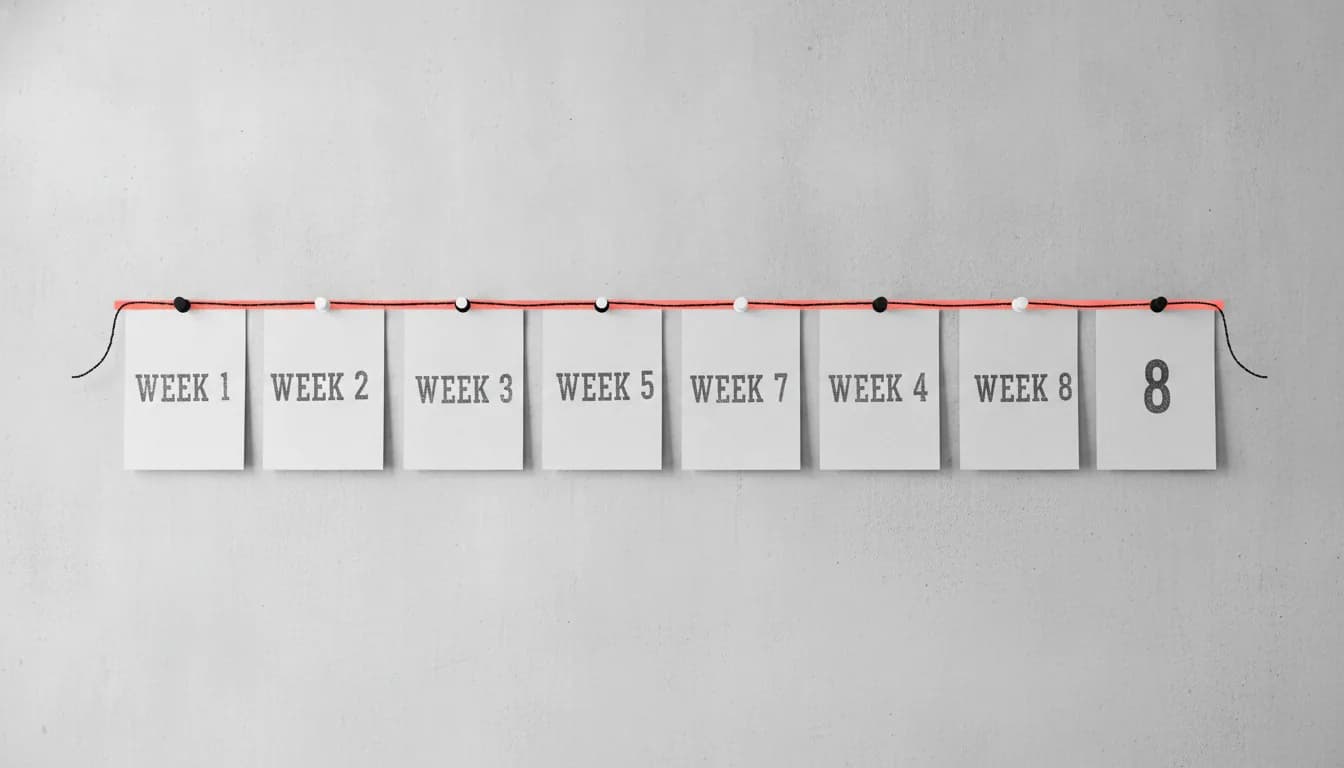
Case Study: How Bracket Coder Built a Complete SaaS Platform in Just 8 Weeks
 Sharan Sifat15 min read0 views
A behind-the-scenes case study of how we shipped a complete, Stripe-billed SaaS platform for creative agencies in eight weeks — the plan, the stack, and the honest trade-offs behind the timeline.
On this page
In late 2025, a founder named Arif came to us with a project management platform for creative agencies, seed funding already in the bank, and one non-negotiable condition from his angel investor: a live product with real paying customers inside two months. This case study explains exactly how Bracket Coder built a complete SaaS platform in just 8 weeks — from the first discovery call to a Stripe-billed launch — without shipping a hollow prototype. The short version is unglamorous: ruthless scope discipline, one full week of planning before a line of feature code, a small senior team, and a weekly demo cadence that killed surprises before they could compound.
Other agencies told Arif the timeline was impossible. A few said yes but sent vague proposals that inspired no confidence. Our answer was different: aggressive but achievable, and here is precisely how. This piece walks through that same week-by-week plan so you can judge whether your own idea could ship on a similar schedule — and where an eight-week deadline quietly breaks if you are not careful.
Everything below is drawn from how we actually run SaaS development projects. Where we cite numbers, they are either first-party ("in the projects we ship…") or verifiable published figures like Stripe's standard card fee. We have not invented a single statistic to make the story sound better than it was.
- An 8-week SaaS build is realistic when scope is fixed to a true MVP, not a wish list.
- We spent all of week one on discovery, wireframes and architecture — before writing feature code.
- A small senior team plus a fixed tech stack beats a big team learning as it goes.
- Weekly Friday demos surfaced usability problems early, when they were cheap to fix.
- Billing, testing and polish need their own protected time — never bolt them on at the end.

The brief: an 8-week SaaS deadline with real paying customers attached
Arif had spent six months validating a single idea before he ever spoke to a developer. Through interviews with agency owners and project managers, he had found a real gap: tools like Asana, Monday.com and Basecamp are excellent, but they are generic. They do not natively handle creative review and approval, they track revisions poorly, and they struggle with the fluid, non-linear way creative work actually moves. His platform would be purpose-built for that workflow.
The investor's condition turned a good idea into an engineering constraint. "Live product with paying customers in two months" is not a feature request — it is a hard deadline that dictates architecture, team size and scope all at once. It means you cannot afford a two-week detour to evaluate frameworks, you cannot staff five people who need a month to gel, and you absolutely cannot design for hypothetical future scale you do not have yet.
What "a complete SaaS platform" actually meant here
To count as shippable, the product had to include secure authentication with role-based access for owners, project managers and team members; project and task management with Kanban boards and list views; a creative review system where clients comment directly on uploaded designs and PDFs; real-time collaboration so multiple users see changes instantly; file upload, versioning and organized asset storage; and Stripe-powered subscription billing with a free trial. It also had to look polished enough to sit next to established tools without embarrassment. That is a genuine SaaS product, not a landing page with a waitlist.
"Complete" is doing careful work in that sentence. It means every user journey a paying customer needs is finished end to end — sign up, pay, create a project, upload a file, get feedback. It does not mean every feature Arif could imagine. Confusing those two definitions is the single most common reason "eight-week" projects turn into six-month ones.
Why did we spend the first week not writing code?
We do not dive into code without a plan, even when the timeline is tight — especially when the timeline is tight. Week one bought no visible features, and it was the most important week of the project. When you have seven weeks of building ahead of you, a single wrong assumption discovered in week five can cost more than the whole first week did.
Tiering features so the MVP stays an MVP
Days one and two were intensive sessions with Arif. We reviewed his research, walked his user personas, and dissected every feature on his list. Then we sorted them into three tiers using a simple MoSCoW split:
- Must-have (ships in 8 weeks): authentication, project and task management, Kanban boards, file upload, basic creative review, and Stripe billing.
- Should-have (first post-launch update): advanced creative markup, time tracking, and client-portal access.
- Could-have (longer roadmap): resource management, automated workflows, and third-party integrations.
Writing "could-have" next to a feature is not a demotion — it is a promise to build it properly later instead of half-building it now. That agreement, made on day two, is what protected the deadline for the next seven weeks. This is the same discipline we ask clients to bring to a project brief that gets accurate quotes: decide what is in scope before anyone estimates.
Days three and four went to UX wireframes for every MVP screen — onboarding, dashboard, project list, project detail with Kanban, file upload and review, team management, billing, and settings. Arif reviewed each evening; edits landed the next morning. Cheap iteration on wireframes is far better than expensive iteration on built screens.
How do you choose a tech stack for a SaaS MVP?
Day five was pure architecture, and the guiding rule was boring on purpose: pick a stack the team already knows cold, that removes work rather than adding it. A tight deadline is the wrong moment to learn a new framework in production.
We chose Next.js for the frontend and API routes — server-side rendering for the marketing and onboarding pages that need SEO, client-side rendering for the authenticated dashboard that needs interactivity, and built-in API routes that removed the need to stand up and deploy a separate backend server. We used PostgreSQL for relational integrity and query performance, with Prisma as a type-safe ORM. We deployed on Vercel for automatic scaling, edge caching and zero-downtime deploys, and used Cloudinary for file handling so we got image transformation, video processing and asset organization out of the box instead of building it. Every one of those choices deleted a category of work.
For a different project we might have chosen differently — a heavier data model or complex background processing pushes us toward a Django backend rather than Next.js API routes. There is no universally correct stack, only the right one for the constraints. We wrote about our decision process in how we choose the right tech stack for every project. By Friday, we had a spec document, approved wireframes, an architecture diagram, a configured dev environment, and a sprint plan for the remaining seven weeks.
When the deadline is tight, planning is not the thing you cut — it is the thing that saves you.

Weeks 2 to 4: building the core platform
With the plan set, a team of two senior developers and one designer built in parallel, with daily standups and a demo for Arif every Friday. The goal for these three weeks was a stable, unremarkable foundation — the parts users never praise but immediately notice when they break.
Authentication, multi-tenancy and the data model
Week two delivered email signup with verification, Google social login, password recovery and session management, plus the database schema for organizations, users, projects, tasks and files. The most important decision here was multi-tenancy: each organization's data is isolated so one agency can never see another's projects. Getting tenant isolation right in the schema early is far easier than retrofitting it after real customer data exists — this is exactly the kind of foundational work that separates real web application development from a weekend prototype.
Kanban boards, tasks and the first creative review
Week three built the heart of the product: a Kanban board with drag-and-drop between columns, task creation with rich-text descriptions, due dates, assignees and priorities, task detail views with comment threads and activity history, and a list view as an alternative to the board. Drag-and-drop looks trivial and is not — keeping it smooth on a board with dozens of cards took deliberate performance work.
Week four added file management and basic creative review. Users drag-and-drop images, PDFs and design files; files auto-organize by project and task; version history tracks every upload so you can watch a design evolve; and reviewers pin comments to specific coordinates on an image or specific pages of a PDF. That pinned-comment feature is the differentiator — it is the thing a generic tool does not do.
Why weekly demos beat a big-bang reveal
Every Friday, Arif tested the working build on his own device, and his feedback shaped the next sprint. This caught real problems early. In one demo he noticed task creation took too many clicks, so we added quick-add directly from within the Kanban board. Without the weekly checkpoint, that friction would have surfaced only after launch — in front of paying customers instead of in front of us.
If you are commissioning a build on a deadline, insist on a working demo every single week — not a status update, an actual clickable build. A slide that says "80% done" hides risk. A build you can click either works or it doesn't, and that honesty is worth more than any progress report.
Weeks 5 to 6: how do you build real-time collaboration that actually scales?
With the core stable, weeks five and six added the features meant to make Arif's product feel alive next to the incumbents. Real-time collaboration was the headline. Using WebSocket communication, everyone viewing a project sees changes instantly: move a card and it slides on every screen; add a review comment and it appears for all viewers; create a task and it pops into the board with no refresh.
Reliable real-time is one of the harder problems in web development, and it is where naive implementations quietly fall apart. We had to handle graceful reconnection for users on flaky networks without losing data, resolve conflicts when two people edit the same task at once, avoid draining mobile battery and page performance with a chatty connection, and design the WebSocket layer to scale horizontally as concurrent users grew. The mechanics of the browser side are documented well in the MDN WebSockets API reference; the hard part is the operational reliability behind it.
Real-time features demo beautifully and fail quietly. A live board that works flawlessly with two people on office wifi can drop updates, duplicate cards or leak memory once dozens of users are on mobile networks. If you are scoping real-time into an MVP, budget explicit time for reconnection, conflict resolution and load — not just the happy-path animation.
Notifications without notification fatigue
An email for every change trains users to ignore your emails. So we built smart batching that groups multiple updates into one digest instead of firing a message per event. Users get notified about task assignments, approaching deadlines, comments on their work, and new files on projects they follow — each with a direct link back to the exact item. The engineering goal was engagement without annoyance.
Team management and roles
These weeks also delivered team management: owners invite members by email, assign roles with different permission levels, and revoke access when someone leaves. The invitation flow had to handle the edge cases gracefully — inviting someone who already has an account behaves differently from inviting a brand-new user, and getting that wrong is exactly the kind of small bug that erodes trust on day one.
Weeks 7 to 8: Stripe billing, polish, testing and launch
The final two weeks were the most intense. With features complete, we shifted to billing integration, visual polish, comprehensive testing and launch preparation — the work that turns a working app into a business.
How does Stripe subscription billing work for a SaaS?
We integrated Stripe subscriptions with a free trial. In practice that means creating a customer and a subscription with a trial period, collecting a card up front, and then relying on Stripe's billing webhooks as the source of truth for what a user is allowed to access. Your database should never assume a payment succeeded — it should wait for Stripe to confirm it. On Stripe's published standard pricing, card payments cost 2.9% + $0.30 per successful charge in the US, which is a real line item founders should model into their unit economics from the start.
The dangerous part of subscription billing is not the first payment — it is everything after. Cards expire, renewals fail, and trials end. If you do not handle failed-payment retries (dunning) and downgrade access when a subscription lapses, you either lose revenue silently or let churned users keep premium access for free. Build the unhappy paths, not just the checkout.
The launch checklist
Alongside billing, the last stretch covered visual polish pass by the designer, cross-browser and mobile testing, error monitoring, and a rehearsal of the full signup-to-payment journey. Then it went live — and shortly after, the real customers Arif's investor wanted started signing up and paying. The condition was met.

The 8-week timeline at a glance
Here is the whole build compressed into one view. Notice how much lives before any feature code, and how billing and testing get protected time at the end rather than being squeezed in.
| Week | Focus | What shipped |
|---|---|---|
| 1 | Discovery & architecture | Spec, wireframes, tech stack, sprint plan |
| 2 | Auth & data model | Signup, Google login, multi-tenant schema, dashboard shell |
| 3 | Project management | Kanban board, tasks, comments, list view |
| 4 | Files & review | Uploads, versioning, pinned-comment creative review |
| 5 | Real-time | WebSocket live updates, conflict handling |
| 6 | Collaboration | Batched notifications, team roles, invitations |
| 7 | Billing | Stripe subscriptions, free trial, webhooks |
| 8 | Polish & launch | Design pass, testing, monitoring, go-live |
- 8 weeksbrief to billed launch
- 1 weekplanning before feature code
- 3 peopletwo senior devs, one designer
- 2.9% + $0.30Stripe's published US card fee
Which build approach is right for an 8-week SaaS deadline?
An eight-week outcome is not automatic — it depends heavily on how you resource the build. There is no single best option; each trades speed, ownership and control differently. Here is how the common paths compare for a founder who needs a real, billable product fast.
| Approach | Time to first paying customer | Code you own | Best for |
|---|---|---|---|
| Hire in-house | Slow — hiring alone can take months | Full | Well-funded teams building for the long haul |
| Solo freelancer | Variable — one person, one bottleneck | Full, if contracted well | Small, well-defined single features |
| No-code / website builder | Fast to start, hard to extend | None — you rent the platform | Prototypes and simple sites, not custom SaaS |
| Specialist agency | Fast — a ready senior team and fixed stack | Full — you keep the codebase | Custom, billable products on a deadline |
No-code tools are genuinely useful, but they hit a ceiling the moment you need real-time collaboration, custom billing logic or data you fully control — and the hidden costs of website builders tend to surface exactly when you start to succeed. For a product Arif intended to raise further funding on, owning the codebase was non-negotiable. You can see the range of what a dedicated team ships across our case studies, and how we scope and price that work on our transparent pricing page.
What actually made the 8-week SaaS build work
Strip away the specifics and four principles carried the project. First, scope discipline — the MoSCoW split on day two was defended every week after. Second, front-loaded planning — the "wasted" first week is what let building move without hesitation. Third, a small senior team on a familiar stack — no onboarding drag, no framework learning curve, no coordination overhead of a large group. Fourth, a weekly demo cadence that turned assumptions into feedback while fixes were still cheap.
None of these are secret techniques. They are ordinary engineering discipline applied without exception. The magic was in refusing to skip any of them under deadline pressure — which is exactly when teams are most tempted to.
- React, Next.js, Flutter: How We Choose the Right Tech Stack for Every Client Project
- How to Write a Project Brief That Gets You Accurate and Consistent Quotes from Developers
- AI-Powered Features You Can Add to Your App Today Without Breaking the Budget
- The Hidden Costs of Using Website Builders Like Wix and Squarespace in 2026
Frequently asked questions
Can you really build a SaaS platform in 8 weeks?
Yes, when scope is fixed to a true MVP and the team is senior and dedicated. The eight weeks work because roughly one is spent planning and the scope is frozen on day two. Stretch the feature list mid-project and the timeline stretches with it — that is not a failure of engineering, it is arithmetic.
How much does it cost to build a SaaS MVP?
It depends on the feature set, the amount of real-time and billing complexity, and how well-defined the brief is. Rather than quote a number that would be meaningless without your specifics, we scope each project individually — a clear brief gets you an accurate figure fast. See our pricing page and our guide to writing a brief that gets consistent quotes.
What is the difference between an MVP and a prototype?
A prototype demonstrates an idea; an MVP is a real product people can pay for. The platform in this case study had authentication, multi-tenant data isolation, live billing and monitoring — everything a paying customer touches was finished. A prototype can skip all of that. Confusing the two is how "quick" builds become long ones.
What happens after launch — who maintains it?
Launch is the start, not the finish. Real users find edge cases, dependencies need updates, and the roadmap continues. We offer ongoing application maintenance and support so the product stays healthy and keeps improving after the initial build.
Do I need funding or a validated idea before I start?
Funding is not required, but validation helps enormously. Arif spent six months validating before he wrote a check, which is exactly why we could move so fast — we were building a defined product, not discovering what to build. The clearer your idea, the shorter and cheaper the build.
Planning something like this? If you have an idea and a deadline, we can turn it into a real, billable product. Get in touch for a free scope and quote and we will tell you honestly what is achievable in your timeline — including when it is not.
Sources
Have a project like this in mind?
Tell us what you're building and we'll map out the scope, timeline and a fixed starting quote — no obligation.
Start your project